
Net Worth Tracker: How to Choose One, Set It Up, and Act on What It Shows
From setup to confident money decisions.
The short answer: a net worth tracker is a record of everything you own and everything you owe, updated on a schedule, so you can see your total and its trend over time. A useful one goes further: it ties each balance to the goal it is for, so you can see which goals are funded and which are behind.
A net worth tracker only earns its keep when it changes what you do, not just what you see. The right one can turn a 60-minute money review into 20 minutes and makes goal progress visible at a glance. The wrong one becomes a graveyard of stale balances. This guide compares the four ways people track, gives you a layout you can copy, and shows you how to read what actually moved your number.
Before you connect anything, understand how to calculate net worth manually: the formula, what counts, and how often to check all live there. Knowing the math means you'll catch errors. Pair your tracker with a clear goal plan and a dedicated portfolio tracker view.
1. What a net worth tracker should do for you (beyond a number)
- Decision support. Not just "your net worth went up $4,300" but "your emergency fund is 1.4 months below target. Setting aside $800 more would close the gap. You decide."
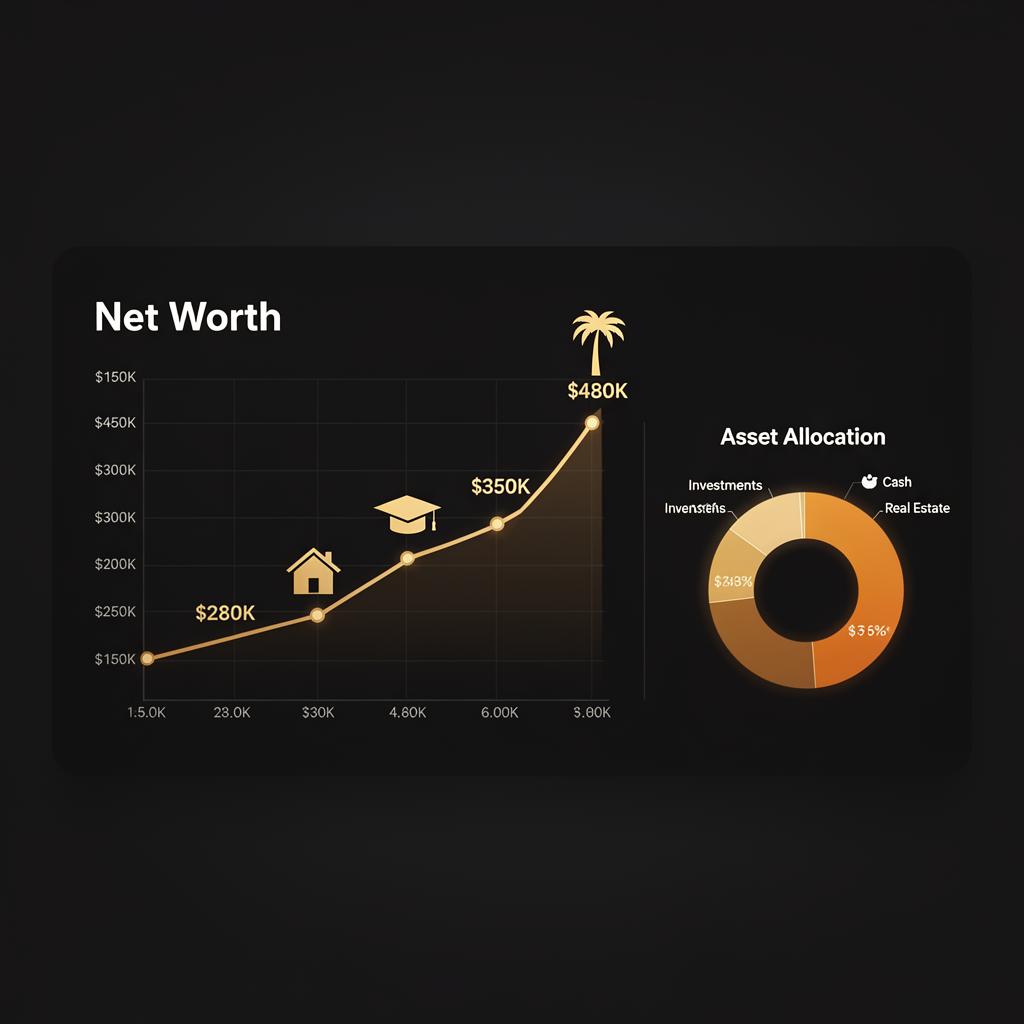
- Trend visibility. A 36-month chart with annotations so you can see real progress under the noise.
- Goal alignment. Each balance attached to a purpose. Cash isn't just cash. It's "house down payment 73% funded."
✓ What to do this week
A tracker tells you what you own. It does not tell you whether you are going to get there. A rising net worth feels good, but it stays silent on the questions that matter: can you afford the house, the wedding, and retirement together, is each one on track, and what should you change if one is behind. That is what EnvisionWorth adds. It reads your own accounts and builds one plan around your Dream Number, the monthly amount all your goals take together at an assumed rate of return. For each goal it tells you whether it is on track, ahead, or behind, the year it lands, and the monthly it takes. When something deserves your attention, it shows the suggestion and the reason behind it: sometimes a goal that is ahead needs less than you plan to put toward it, and that spare monthly amount could help one that is behind catch up. Sometimes cash sitting idle in a longer-term goal could be put to work so that goal needs less from you each month. You can test a suggestion in your plan before you change anything, and nothing moves unless you decide. If you already track your net worth, this is the next step. Start with how to prioritize financial goals, or work out your Dream Number in the free planner.
2. Spreadsheet, app, linked accounts, or goal-based planner: which fits you?
There are four ways to track net worth. Each one trades setup effort for upkeep, and each one answers a different question. Pick by the question you need answered, not by the prettiest chart.
| Method | Setup effort | Monthly upkeep | What it answers | Blind spot |
|---|---|---|---|---|
| Spreadsheet | Low: one tab, a row per account | Highest: you type every balance | Your total and its trend, in exactly the layout you want | Goes stale the month you skip it, and broken formulas fail quietly |
| Manual-entry app | Low: add accounts by hand | High: you still enter each balance | Total and trend, with cleaner charts than a sheet | The same typing as a spreadsheet, with less control over the layout |
| Linked account aggregator (read-only connections) | Medium: sign in to each institution once | Low: balances refresh on their own; you fix dropped connections and update home or car values | Total, trend, and where your money sits right now | Connections can drop or lag, and on its own it shows what you have, not what it is for |
| Goal-based planner | Highest: goals, target amounts, dates, and a purpose for each account | Low once set up, if balances are linked: you review the plan | Whether each goal is on track, ahead, or behind, and what it takes each month | Needs more setup up front, and it is only as good as the targets and dates you give it |
A rough guide by stage. With 1 to 3 accounts, a spreadsheet is plenty, and typing the balances builds awareness. With 4 to 10 accounts and more than one goal, linked balances start saving real time. With 10 or more accounts, investments spread across several places, or a household with shared goals, you need to see each goal's progress rather than one total, which is where a goal-based planner earns its setup. You can also mix methods: plenty of people let linked accounts handle the balances and keep the goal column in a sheet.
✓ What to do this week
3. Setup checklist: accounts, valuation rules, and a layout you can copy
Accounts to add
- All checking and savings accounts
- Every brokerage and retirement account, including IRAs and old 401(k)s from past employers
- HSA, 529, and any other tax-advantaged accounts (in Canada: RRSP, TFSA, FHSA, RESP)
- Mortgage, HELOC, auto loans, student loans
- Every active credit card (full statement balance)
- Manually: home value, vehicle value, business equity
Valuation rules
- Property: refresh once a year using an online estimate checked against recent local sales
- Vehicles: private-party value from a used-vehicle pricing guide, refreshed once a year
- Credit cards: full statement balance
- Tax-deferred accounts (pre-tax 401(k), traditional IRA, RRSP): market value, remembering that part of it goes to tax when you withdraw
Tag each account with the goal it serves
Tag each account: Emergency, Down Payment, Retirement, College, Travel. This is the step that matters most. It lets you answer whether each goal is on track.
A tracker layout you can copy
One row per account, per month. The two columns most trackers leave out are "Goal it serves" and "Where the value comes from." The numbers below are illustrative.
| Month | Account | Owe or own | Balance | Goal it serves | Where the value comes from | Last checked |
|---|---|---|---|---|---|---|
| Sep 2026 | High-yield savings | Own | $9,500 | Emergency fund | Bank statement | Sep 30 |
| Sep 2026 | Brokerage account | Own | $18,000 | $12,000 Retirement + $6,000 House down payment | Brokerage statement | Sep 30 |
| Sep 2026 | 401(k) | Own | $44,500 | Retirement | Plan statement | Sep 30 |
| Sep 2026 | Car | Own | $17,200 | None (you use it) | Used-vehicle pricing guide, private-party value | Sep 30 |
| Sep 2026 | Credit card | Owe | $1,300 | None (paid in full each month) | Statement balance | Sep 22 |
| Net worth (own minus owe) | $87,900 | |||||
Look at the brokerage row. One account can serve two goals: here $12,000 of it is for retirement and $6,000 is for the house. Writing the split down stops you from counting the same dollars toward two goals, and it is the habit behind giving every asset a purpose.
✓ What to do this week
4. Monthly workflow: 20-minute money review routine
- Update (5 min). Confirm balances pulled correctly. Manually update any account that didn't sync.
- Reconcile (5 min). Check that automatic transfers fired. Look for unexpected charges.
- Review (5 min). Compare to last month. Note one win and one drag.
- Decide (5 min). Weigh one move: redirect a contribution, refill the emergency fund, or pay down a card. You decide.
If this is your situation
Just starting out
Skip the decide step the first three months. Just build the habit of updating, reconciling, reviewing.
Building momentum
Add a 'note to next month me' line. One sentence. This is how plans evolve without adding meetings.
Optimizing
Track decisions in a journal. After 12 months you'll see which kinds of decisions paid off and which were noise.
5. Read what moved your net worth, not just the total
A total that went up tells you very little on its own. Net worth changes in three ways: what you saved (everything that came in, such as pay, an employer match, or a gift, minus everything that went out, including interest and fees), investment gains or losses, and revaluations of things like your home or car. Moving money between your own accounts changes nothing, apart from any fees or taxes the move itself triggers. Shifting cash into a brokerage account, or paying down a card from checking, swaps one line for another and leaves the total where it was.
Here is how the illustrative household in the layout above got to $87,900 from last month:
| What moved it (illustrative) | Amount | Yours to control? |
|---|---|---|
| Net worth last month | $84,200 | |
| Saved (came in minus went out) | +$1,900 | Mostly, through what you spend and set aside |
| Investment gains | +$2,600 | Not month to month |
| Car revaluation | -$800 | No, the market sets it |
| Net worth this month | $87,900 (+$3,700) |
The total rose $3,700, but most of that came from the market. In a month when markets fall, the same $1,900 of saving could show up as a flat or falling total, and it would still have been a good month. The reverse is the one to watch: a strong market month can hide a month where you saved almost nothing. Your goals depend on what you put in, not on one month of markets.
✓ What to do this week
6. Security and privacy: non-negotiables before you connect accounts
- Read-only connections. Look for a read-only connection through an established data aggregator, so the tracker can see balances but cannot move money. Verify this before you link anything.
- Encryption. Ask how your data is encrypted at rest and in transit (for example, AES-256 at rest and TLS 1.2 or later in transit). If a tracker can't tell you what they use, that's a red flag.
- Two-factor authentication. It keeps your account protected even if your password leaks. Turn it on the day you sign up.
- Permission visibility. See and revoke any third-party connection from inside the tracker.
- Data deletion. Confirm you can fully delete your account and data on request, and check what the privacy law where you live gives you (for example, CCPA in California, or PIPEDA or your provincial privacy law in Canada).
- Breach response. Speed of disclosure matters more than whether it ever happened.
✓ What to do this week
7. When to upgrade your system
- Complexity outpaces the tool. Maintaining multiple spreadsheets, monthly review takes 60+ minutes.
- Several goals, one pile. You have more than one goal and can't say which dollars belong to which.
- Multi-account investing. Can't answer "what's my real allocation across all accounts?" in under a minute.
- Family or business planning. Joint goals, kids' education funds, business equity.
When you upgrade, run both tools side by side for one month, so none of your history gets lost in the move.
Frequently asked questions
What should a net worth tracker do?
A net worth tracker should record everything you own and owe on a regular schedule, show how the total is trending, and ideally tie each balance to the goal it is for. A more useful one also shows you what moved the number, so a monthly review leads to a decision, not just a chart.
How do I set up a net worth tracker properly?
Add every account you own or owe on, including retirement accounts, loans, and credit cards. Set a valuation rule for anything without a statement, such as your home or car, and stick to it. Tag each account with the goal it serves, splitting an account across goals where needed. Then put a monthly review on your calendar.
Are net worth trackers safe to use?
They can be, if you check a few things first. Look for read-only connections through an established data aggregator, so the tool can see balances but not move money. Ask how data is encrypted at rest and in transit, turn on two-factor authentication, and confirm you can revoke connections and delete your data.
Is a spreadsheet or an app better for tracking net worth?
It depends on your account count and the question you want answered. A spreadsheet suits 1 to 3 accounts or anyone who wants full control. An app with read-only linked accounts saves time once you have more accounts. If you want to know whether each goal is on track, you need goals, targets, and dates in either one.
Can a net worth tracker tell me if I'm on track for my goals?
Only if each balance is tied to a goal that has a target amount and a date. Without that, a tracker shows your total and its trend, not your progress. With it, you can compare what each goal has, what it needs, and whether what you add each month gets it there in time, at an assumed rate of return.
See your goals on one page
The EnvisionWorth calculator prices each of your financial goals on its own timeline and adds them into one monthly Dream Number, then shows where two goals compete for the same dollar and what a what-if change (delaying, resizing, or reordering a goal) does to the rest. It runs in your browser, and no account is needed to see your number.
Try the free calculator⚠️ Disclaimer
This content is for educational purposes only and does not constitute financial, investment, tax, or legal advice. EnvisionWorth provides technology and educational resources; we do not provide personalized financial advice. Past performance does not guarantee future results. All investment decisions should be made in consultation with qualified financial professionals.
Avish Shah
Founder, EnvisionWorth Financial Intelligence
EnvisionWorth helps you plan all your financial goals together, give every dollar a job toward a goal, and see what needs attention.
Continue Your Journey
Explore more insights to enhance your financial intelligence

How to Prioritize Financial Goals Without Robbing One to Pay Another
Ranking goals is the easy part. This is what to do with the goals that lose: sequencing versus splitting, the real cost of delay by goal type, and when partial funding wins.

How to Calculate Net Worth (Without Feeling Overwhelmed): A Practical Step-by-Step Guide
A practical, no-shame guide to calculating your net worth in 20 minutes. Includes a monthly system, common mistakes to avoid, and what to do once you know your number.

Financial Goal Planning That Actually Works: From Wish List to Funded Plan
A goal-planning operating system for real people. Use the Now / Next / Later Goal Stack to put a real price on each goal, fund it monthly, and re-plan when life changes.
Portfolio Tracker Guide: Measure What Matters (Returns, Risk, and Tax Efficiency)
Track your portfolio like an investor, not a gambler. The 7 metrics that matter (TWR, XIRR, drawdown, drift, fee/tax drag), rebalancing rules, and a decision journal.